Booth and suite renters
Your chair. Your clients.
Your booking page.
For stylists who rent a booth or a suite. Your own booking page, your own business line, and your regulars first in line when a client cancels.
Booth or suite
Your clients stay yours.
Renting a booth or a suite means your clients follow you, not the building. Your ChairCal account holds your booking page, your client list and your texts, and none of it belongs to the salon. If you move chairs, your booking link moves with you.
ChairCal gives you a business line for texts. Reminders, confirmations and opening alerts go out from it, and when a client replies, it lands in your inbox. Your mobile number stays yours.
When a client cancels
Rent is due either way. Fill the chair.
When a client cancels, your best regular gets the text first, with a 5-minute head start. If she doesn't grab it, ChairCal adds the next few, then a few more, up to the limit you set, and stops the moment it's booked. First to tap gets 60 seconds to confirm. You decide how many regulars and how fast.
Opening alerts are opt-in — each client chooses to hear about cancellations when she books or replies YES to an invite you send.
What you get
Built for a chair you run on your own.
Process Time
Mark the hands-free part of a color. Your booking page offers that window to a short service that fits, so a cut books inside another client's color.
How Process Time works →Rebook
After every appointment, ChairCal suggests a time for the next visit from your live calendar. She taps Book this time before she leaves.
How Rebook works →Inbox
Texts and emails from the same client land in one thread on your side, so a reply doesn't get lost between apps.
How Inbox works →
The real product
Screens from ChairCal itself.
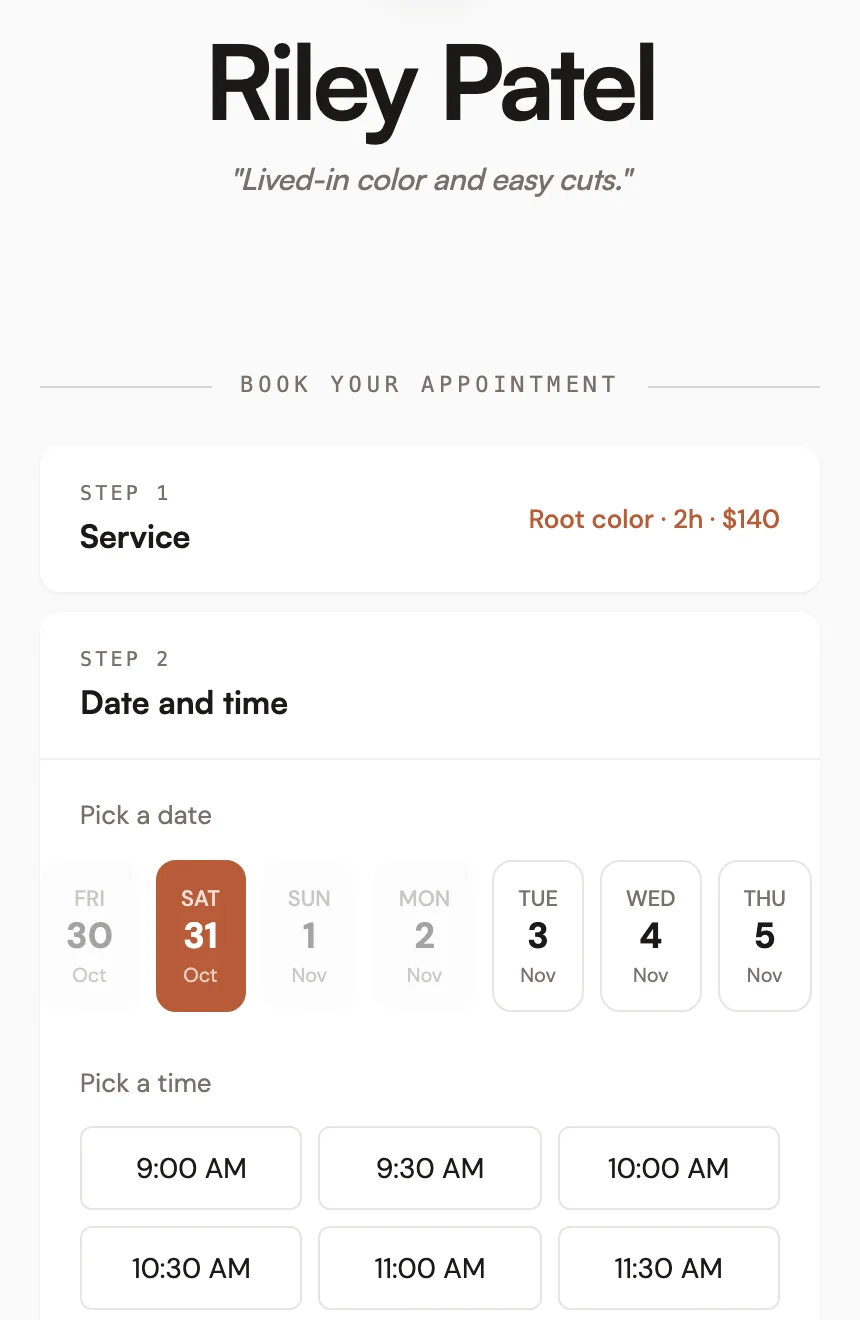
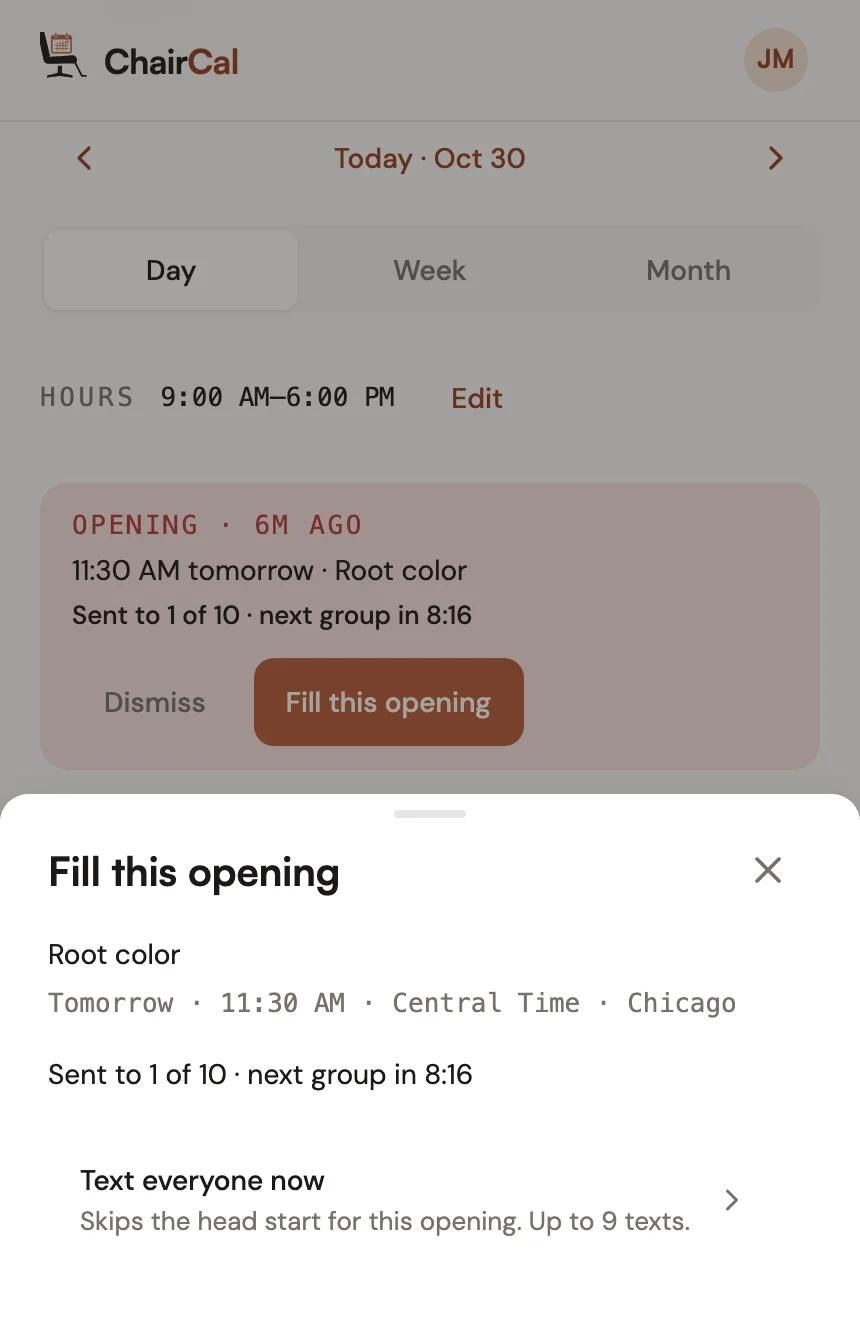
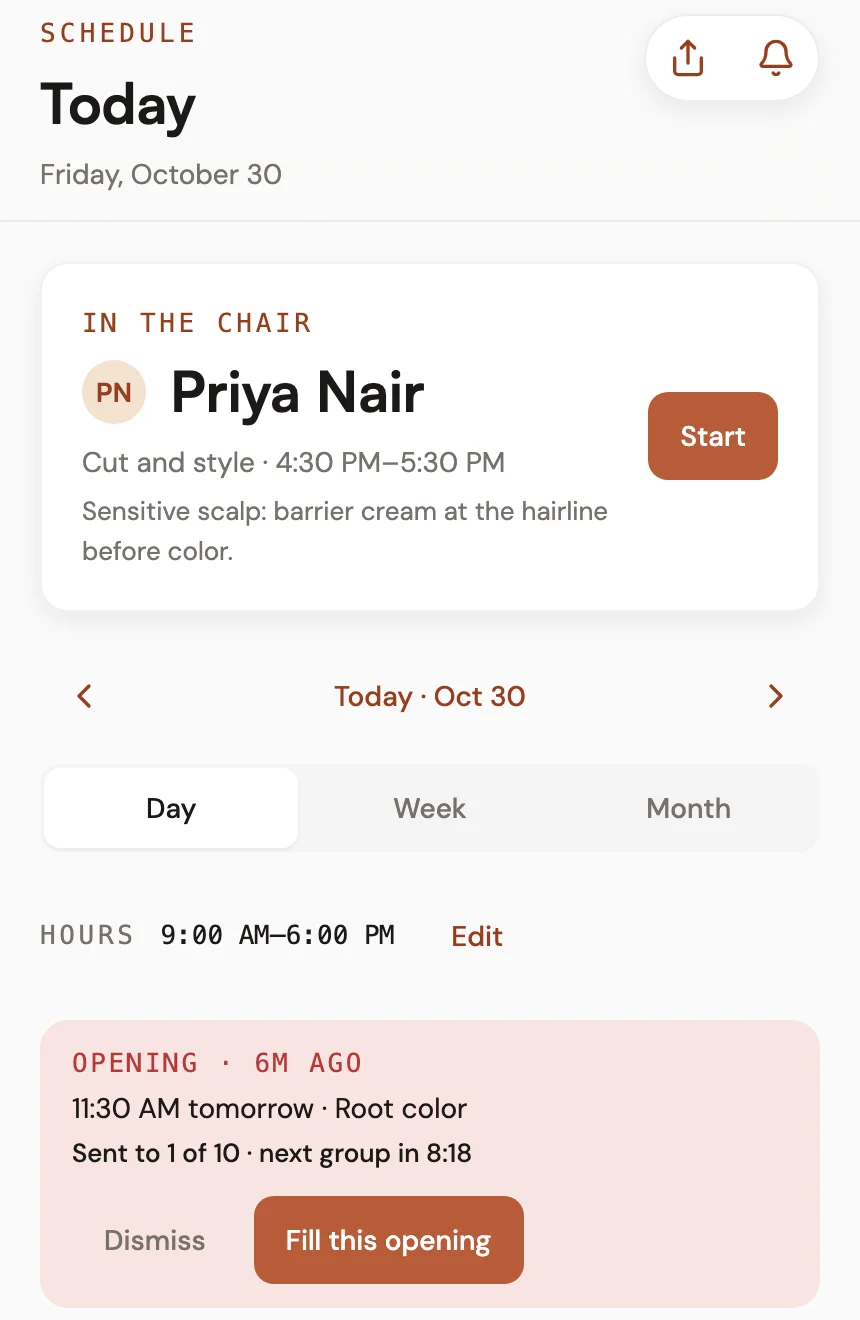
See a sample booking page → Riley's page is a working sample: nothing books and nothing sends. Yours picks from 7 color themes and 5 layouts.
Read first
Booth rent, the math and the tools.
Weighing booth rent against a commission split? Our break-even post walks through the math. Shopping for a booking tool? Read the GlossGenius comparison for booth renters, or see how ChairCal compares to Vagaro, StyleSeat and Square.
Own a suite or salon? Your stylists can get their first month of ChairCal free. Email support@chaircal.com and we'll set up a link for your building. See ChairCal for salons and suites.
FAQ
Questions booth and suite renters ask first.
No. Your ChairCal account is yours: your booking page, your clients and your texts. Your rent stays between you and your salon owner. If the owner sets up a salon page and you join it, you are told exactly what she will see of your day before you join.
Your booking link, your client list and your texts move with you. None of it belongs to the building, so there is nothing to hand back when you leave.
No. They open your booking link, pick a time and book. There's no app to download and no account to make.
No. ChairCal gives you a business line for texts. During setup you type the area code you want, and ChairCal looks for a number there first. Your mobile number stays yours.
Opening alerts are opt-in — each client chooses to hear about cancellations when she books or replies YES to an invite you send. Day one: invite your regulars.
The first 100 stylists pay $19 a month for life. After that it is $29 a month. Every plan starts with a 14-day free trial and a 30-day money-back guarantee.
Your chair, your regulars, your book. Try it free.
14-day free trial · 30-day money-back · Cancel anytime